

I Know Where You Live
Extracting files...
I Know Where You Live
Continue Playing
Play I Know Where You Live Online Free on Horror Scary Game
Your First I Know Where You Live Run
Cross-check a suspicious message in I Know Where You Live before replying. Finish the available tasks and inspect new clues before choosing Go to Sleep.
I Know Where You Live: Read Before You Reply
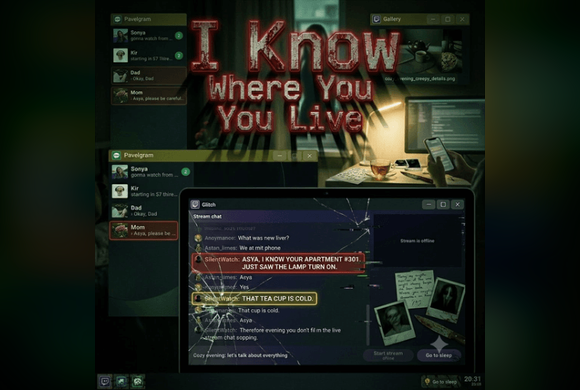
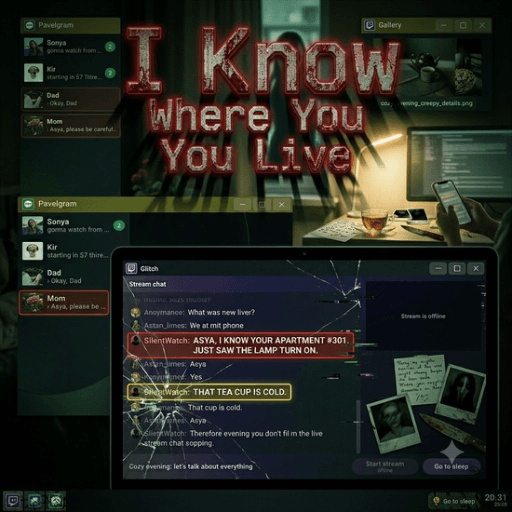
I Know Where You Live puts you at Asya's computer as a viewer starts sharing details that should be private. Your tools are the windows already on her desktop: conversations, streams, emails, and pictures. Read carefully, compare what people tell you, and decide who deserves an answer.
How to play I Know Where You Live
Click between apps, inspect new messages, and choose responses as the story develops. I Know Where You Live spans three days, so finish the available tasks before using Go to Sleep to move on. A hint can help when you cannot see what still needs attention.
Keep track of who knew a detail before it appeared in public. Check a claim against another conversation rather than assuming the latest message is reliable. When two accounts disagree, that disagreement is worth remembering.
Is I Know Where You Live worth clicking?
I Know Where You Live is a good pick if reading an unsettling chat makes you want to investigate. You spend your time noticing contradictions and making decisions, with the computer interface keeping the threat close to everyday life.
For a first I Know Where You Live run, answer as you think Asya should and follow the consequences. The story has three endings. On another attempt, change a decision you were uncertain about instead of clicking through without reading.
I Know Where You Live FAQs
Yes. Start I Know Where You Live in the player above.
Read messages, investigate the desktop apps, and finish the day's tasks before selecting Go to Sleep.
Yes. Your decisions and investigation lead toward different outcomes, with three endings to discover.
Check for unread messages and unfinished tasks, then use a hint if you still need direction.