


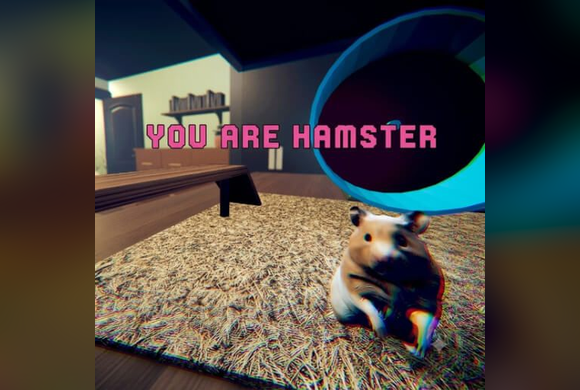
You Are Hamster
Extracting files...
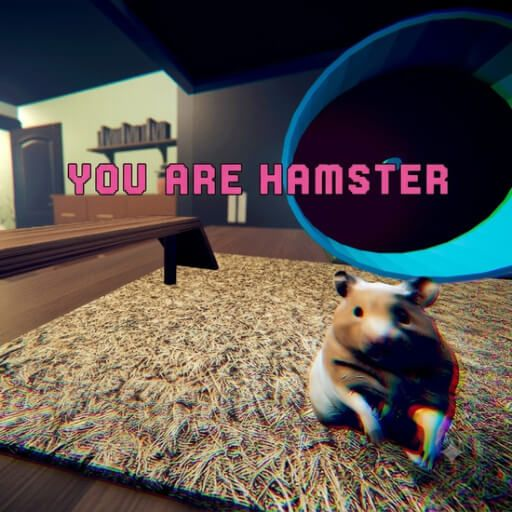
You Are Hamster
Continue Playing
Play You Are Hamster Free Online
Start You Are Hamster and Follow the Prompt
Choose PLAY. Learn the food tray, wheel, and pineapple shelter. Use E at prompts, alternate Q / E during activities, and leave with Space or Exit before following the next task.
You Are Hamster: Eat, Run, Sleep—and Watch the Room
You Are Hamster gives you a tiny body, a huge-looking bedroom, and a routine that becomes harder to trust. Walk around your enclosure, eat when prompted, work the wheel, and return to your little house to sleep. When the lights or sounds change, turn the camera and pay attention: completing a chore is sometimes only half of what moves the story forward.
Try You Are Hamster if you enjoy comedy horror that switches between a cute pet routine and something scary happening just outside it. You get short activities, unsettling room events, and a later fight. Expect a compact story rather than a pet-care sandbox or a choice-based romance.
Start You Are Hamster and Learn the Space
Choose PLAY. You Are Hamster has one story start, so you do not need to choose a difficulty or a separate training mode. On a phone, use the touch Play button and turn the screen sideways.
- While Explore the new house is active, learn where the food tray, blue wheel, and pineapple-shaped shelter are.
- Watch the task text. When it changes to Eat food, approach the tray until Press E to eat appears.
- Press E or tap Use · E, then let the eating animation finish.
- When the wheel target appears, approach the wheel and use E to enter. Alternate Q / E until the task reaches its target.
- Use Space or the touch Exit button to leave an activity. Look around when the next cue involves a sound or a change in the room.
You Are Hamster controls change with the activity
| Action in You Are Hamster | Keyboard and mouse | Phone or tablet |
|---|---|---|
| Explore | WASD to move; mouse to look | Left stick to move; drag the right side to look |
| Jump | Space | Jump |
| Eat, sleep, or enter equipment | E when the interaction prompt appears | Use · E |
| Run on the wheel | Alternate Q and E | Alternate the Q and E buttons |
| Hit the training bag | Alternate Q and E after entering | Alternate Q and E |
| Leave wheel or bag | Space | Exit; the Jump button changes its label |
| Later fight | A / D to move, left click to punch, right click to block | Movement stick, Punch, and hold Block |
| Voice prompt | Follow the recording panel; R retries and E continues without recording when offered | Record warning, Retry, or Skip / Continue without recording |
Click inside You Are Hamster if the keyboard does not respond. On touchscreens, use the action buttons that appear for the current activity; Punch and Block belong to the later fight, while Q / E are for exercise and training.
You Are Hamster Equipment: Use It, Then Read the Feedback
The wheel in You Are Hamster is a task you can complete. Its first goal is 1000% on the displayed wheel progress. Enter with E, alternate paws, and watch the number climb. Holding one key is not the same as alternating, and stopping lets the wheel slow down. Keep going until the objective changes, then exit to continue exploring.
You Are Hamster also gives playful compliments as you run. Treat the objective counter as your progress check; a big congratulatory phrase does not replace the task target.
When You Are Hamster introduces the punching bag, enter at its E prompt and alternate Q / E again. Read the punch count instead of treating it like the later mouse-controlled fight. If you are still attached to the wheel or bag, use Space / Exit before trying to walk away.
You Are Hamster Progress Map: Routine, Night Events, and New Tasks
You Are Hamster advances through objectives and short story events. The room changes around your routine; an empty objective during a transition does not automatically mean the run has ended.
| You Are Hamster activity | How to move forward |
|---|---|
| Explore and meet the routine | Learn the enclosure while the opening event unfolds; follow the next task when it appears. |
| Eat food | Reach the tray, use E, and wait for eating to finish. |
| Wheel exercise | Alternate Q / E to the displayed target. Leave the wheel afterward. |
| A strange sound or room change | Turn toward the room and doorway. Some events depend on looking in the right direction. |
| Go to sleep | Return to the pineapple shelter and use E when the sleep prompt appears. Sleep moves the story into another event or night. |
| New toy: punching bag | Enter the bag activity and follow the alternating-paw prompt until the required count is met. |
| Later hunger | Follow the corn task and watch its counter progress through three portions. |
| Warn your owner | Record a five-second warning if you want, or continue without recording. |
| Later confrontation | Switch to movement, punch, and block controls; watch both fighters' health bars. |
You will return to familiar equipment as You Are Hamster continues. Follow the current objective instead of assuming a task is permanently finished because you used that object earlier.
You Are Hamster: what to do when the task seems stuck
| What you see in You Are Hamster | Try this |
|---|---|
| E does nothing | Get closer to the food, shelter, wheel, or bag and wait for its interaction prompt. |
| The wheel number is not rising enough | Alternate Q and E in a steady rhythm; compare the counter with the required target. |
| You cannot walk away from equipment | Use Space or Exit to end the activity first. |
| A sound plays but no new action is obvious | Leave the equipment and turn the camera toward the room or doorway. |
| The hamster stops during eating or a story event | Let the animation or scene finish before trying another action. |
| The fight ends in Game Over | Choose Retry to try the confrontation again. Reconsider distance and blocking. |
| Recording is unavailable | Choose Continue without recording or use E / Skip when offered. |
Who and What You Watch in You Are Hamster
Your hamster is the character you control. Its tiny viewpoint makes a food tray, shelter, and exercise wheel feel like your whole world. Learn these positions early so later darkness does not leave you guessing where to go.
Your owner occupies the larger room beyond your enclosure. In You Are Hamster, the owner's behavior is part of the joke and part of the unease. When the objective tells you to watch, look outward instead of searching the bedding for a new item.
Strange figures and a rat interrupt the routine. You Are Hamster uses changes around the doorway, nighttime disturbances, and sudden movement to make the room feel less safe. Look at what changed before returning to the next chore; this is where its scary pet story takes shape.
Later You Are Hamster Activities and Ending Tips
You Are Hamster later tasks and ending
You Are Hamster does not stay with peaceful exercise. Later tasks include bag training, a warning about a new friend, door disturbances, a rat scare, and eating corn. The corn objective counts three portions, so watch the counter and let each eating action finish.
When asked to warn your owner, you can record a five-second voice clip. Continue without recording is a valid way forward. If microphone access is unavailable, use the retry or skip option rather than treating the prompt as a failed ending.
The later fight uses A / D, left click to punch, and right click to block. On touchscreens, use the movement stick and Punch / Block buttons. Close the distance when you want a punch to connect, watch both health bars, and block between attacks. This is separate from the Q / E training activity.
Game Over offers Retry for another attempt at the fight. Winning leads into the closing sequence and credits. Let them finish rather than assuming the first fade to black is the end. The recording option changes whether you contribute a voice clip; you do not need it to continue the story.
Is You Are Hamster Your Kind of Horror Game?
You Are Hamster is worth trying if you like short horror games with absurd comedy, oversized everyday objects, simple rhythm-like activities, and a pet that notices too much. Allow roughly ten minutes for a first run, with more time if you need to learn the activities or retry the fight. Plan to play in one sitting rather than relying on a save menu.
The cute hamster does not make You Are Hamster a calm pet simulator. Expect darkness, flickering lights, sudden sounds and appearances, and cartoon-like fighting. If those scares are uncomfortable, or you want deep pet management and long-term progression, this short story may not suit you.
You Are Hamster FAQs
Yes. Start You Are Hamster in the browser player and choose PLAY. You do not need to install the game.
Learn the enclosure during Explore the new house. When Eat food appears, approach the tray and use E at the prompt. After eating, follow the wheel target.
That is the displayed task target. Enter the wheel with E, alternate Q / E, and keep checking the counter until the objective changes. Use Space or Exit afterward.
Plan one uninterrupted run. You Are Hamster does not offer a normal pause or save menu, and sleeping advances the story rather than creating a save slot. Game Over's Retry lets you retry the fight.
Use landscape, the left movement stick, and right-side dragging to look. The action buttons change for exploration, Q / E activities, fighting, and the voice prompt. Fullscreen makes the objectives easier to follow.
No. Choose Continue without recording, or E / Skip when offered. You can continue without granting microphone access.
Start with PLAY and follow the story's tasks. Exercise, bag training, and the later fight use different controls within the same adventure; you do not select them as separate campaigns on the title screen.
The objectives and interaction prompts are in English. Watch for short instructions such as Eat food, Go to sleep, and Alternate Q / E.