



Trees Hate You
Extracting files...
Trees Hate You
Continue Playing
Play Trees Hate You Free Online
Start Trees Hate You and Choose Your Character
Choose Start New Game, then Be this loser or Design a victim. Move with WASD or arrow keys, use Space to interact, F to chop with an axe, and Tab to pause. Continue resumes a saved run.
Trees Hate You: Can You Get Home Without Trusting a Tree?
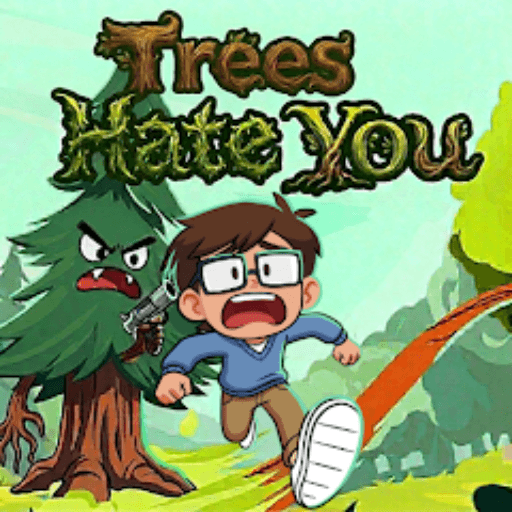
Trees Hate You turns the walk back from a picnic into a string of ambushes. Follow the stone paths, approach suspicious trees carefully, and remember what knocked you down before trying again. A tree can bend into your route, trip you with a root, push you toward a drop, or roll straight through your escape plan.
Play Trees Hate You if you enjoy comedy horror, sudden cartoon violence, and the urge to beat a trap that just made you laugh. Its scary moments come from a friendly-looking forest turning against you. The pleasure is learning how each prank works and finally walking past it.
Start Trees Hate You: Default Character or Design a Victim?
Choose Start New Game, then pick Be this loser for the glasses-wearing default character or Design a victim to make your own. Both choices take you into the forest; choose the default if you want to start immediately.
Trees Hate You lets you change skin, hair, head, body, eyes, mouth, nose, ears, accessories, and facial hair. Use Begin when your character is ready. You are choosing who gets tormented, so pick a look you will enjoy seeing knocked about.
For your first Trees Hate You run, start with the ordinary Start New Game option. Completing the demo unlocks Challenge Mode for a harder replay. You do not need to find that option before learning the opening route.
Trees Hate You controls you actually need
| Action in Trees Hate You | Default keyboard control | What to watch |
|---|---|---|
| Move around the paths | WASD or arrow keys | Your position relative to trunks, roots, edges, and stairs. |
| Read or interact | Space | Approach until Read, Inspect, or another interaction prompt appears. |
| Chop while holding an axe | F | Watch what the axe and target do after the swing. |
| Pause | Tab | Open Back to Game, Inventory, or Settings. |
| Change controls | Settings → Controls | Check the current binding if you have reassigned a key. |
Space is the interaction key in Trees Hate You. Use the stairs and paths to move between heights. If a sign will not open, move closer and use Space at its prompt. If movement does not respond, click inside the player first.
Trees Hate You is most comfortable with a keyboard. The game also has controller bindings; check Settings for your device. A phone's landscape screen alone does not give you movement buttons, so use a keyboard-equipped device for a reliable first run.
Trees Hate You Opening Route: Picnic, Stone Path, Stairs
You begin Trees Hate You beside a red-and-white picnic blanket. Read the nearby sign, then follow the stone path to the left and up the stairs. The raised ground has to be reached by its route; repeatedly pressing Space against a ledge will not get you over it.
Take the bends one at a time in Trees Hate You. Keep some space beside each trunk so you have room to step away when it moves. Red flags mark checkpoints along the route. After a failure, notice where you return and concentrate on the next trap instead of replaying the whole forest in your head.
Trees Hate You traps: change your approach after the hit
| Trouble in Trees Hate You | Try this on the next attempt |
|---|---|
| A trunk bends across the path | Approach from outside its reach, let the movement show its range, then choose your opening. |
| A root trips you | Slow down near that spot and give the root more room. |
| A tree pushes you near a drop | Keep distance from both the trunk and the edge; leave space to retreat. |
| A rolling tree crosses your route | Watch its travel line before stepping into it. |
| A tree follows or blocks you | Recheck the route as you move; the gap you used a moment ago can change. |
| A sign distracts you | Read it, then check the surrounding trees before committing to the next move. |
Trees Hate You makes different traps look deceptively similar. Waiting helps you read some attacks; elsewhere, standing close to the danger just gives it time to hit you. Change one thing per retry—distance, side, or timing—so you can tell what worked.
Trees Hate You Progress Map: What Comes After the Picnic?
The Trees Hate You demo covers Chapter 1. Your trip moves from the picnic paths into a more crowded forest route, with optional distractions and a final sting before the chapter closes.
| Part of Trees Hate You | Your useful goal |
|---|---|
| Picnic clearing and stepped paths | Learn movement, read prompts, and reach the next checkpoint flag. |
| Hill paths and moving trees | Watch rolling hazards and leave room for a retreat. |
| Forest road and forks | Recheck blocked paths, following trees, and the next safe place to stand. |
| Axe stump | Try the chopping control once you have an axe, then watch the result before rushing in. |
| Arcade cabinet and treasure chest | Use the nearby interaction prompt if you want to investigate; watch the coin and item feedback. |
| Closing sequence | Let the scene continue until the chapter-end screen appears. |
| Replay | Try Challenge Mode after completing the demo. |
Trees Hate You's arcade cabinet asks you to insert a coin. If it says you do not have one, return after finding a coin rather than repeatedly confirming. The arcade has its own score and replay prompt, so treat it as a diversion within your forest trip.
The axe in Trees Hate You gives you a Chop action. Try F while holding it and pay attention to the result. Having a tool does not make every nearby tree safe. Use Tab → Inventory to check your collected hats and coin count; a new-item message is a useful reason to look there.
Who Is Trying to Ruin Your Trees Hate You Walk?
Your walker is the default worried-looking character or the person you create. Trees Hate You puts that character through a physical comedy nightmare: the forest keeps finding new ways to interrupt the trip home.
The trees are the main cast of Trees Hate You. Some bend or flatten, some trip or push, and others follow, block the route, or steal a hat. Learn them by what they do when you approach. A familiar shape is a reason to be cautious, not proof of a safe shortcut.
Signs and tempting objects keep pulling your attention away from the danger. Trees Hate You mixes useful directions with taunts and inconvenient surprises. Read, inspect, and collect if you want to explore, but look around again before moving on.
Trees Hate You Saves, Continue, and Replaying a Level
Trees Hate You saves progress at the latest checkpoint. Once you have a save, choose Continue, select your character's save, then choose Continue again. Select Level is available from that save's options when you want to revisit an available stage.
Use Tab → To Main Menu when you want to return to the title. Delete Save removes that run; it is not the retry button. Keep playing in the same browser and avoid clearing its site data if you want to keep your local progress.
Trees Hate You ending and Challenge Mode
Trees Hate You Chapter 1 ending
Trees Hate You does not finish at the first Success! message saying you made it out of the forest. There is an afterlife sequence with a stairway, a heavenly gate, and a winged tree. Keep going through the closing joke rather than leaving as soon as escape seems certain.
The Trees Hate You chapter-end screen says End of Chapter 1 and announces that completing the demo unlocks Challenge Mode. Use Replay if you want another attempt. The rest of the adventure continues in the full game; this browser demo ends with Chapter 1.
Is Trees Hate You Your Kind of Scary Game?
Trees Hate You is worth clicking if you like hostile scenery, absurd surprises, and short stretches you can improve through retries. Its horror comes from losing trust in a bright forest: you start watching every tree because the last harmless-looking one threw you off the path.
Expect sudden hits, falls, ragdoll tumbles, and the frustration of being tricked again. Trees Hate You suits players who enjoy laughing at a ridiculous failure and testing a new approach. If you want a quiet woodland walk or long character conversations, its constant interruptions may wear you out.
Trees Hate You gives you checkpoints and a pause menu, so take a break when the joke stops being fun. Come back through Continue and tackle the next stretch with a clearer idea of what caught you.
Trees Hate You FAQs
Yes. Start Trees Hate You in the browser player, choose Start New Game, and pick the default character or Design a victim. No installation is needed.
Use the paths and stairs to change height. Trees Hate You uses Space for interaction, including reading signs; it is not a jump-over-the-trap control.
Yes. Trees Hate You uses checkpoints and offers Continue after a save exists. Choose the save, then Continue. Browser site data needs to remain available for local progress.
Complete the Trees Hate You demo. The chapter-end screen announces the unlock. Start with the ordinary run to learn the forest first.
Use F for Chop while holding an axe, unless you changed the binding in Settings. Watch the swing's result before approaching the tree again.
A keyboard is the reliable choice. Trees Hate You has keyboard and controller controls, but this player does not provide an on-screen movement pad. Rotating a phone will not replace those inputs.
This is the Trees Hate You Chapter 1 demo, with a closing sequence and Challenge Mode unlock. Play it to find out whether its scary forest pranks and repeated retries are your kind of fun.